Because our Google searches typically evaluate wide results that are most relevant to the query.
We don’t always get what we want.
If you are a business owner or a content creator, this will assist you in creating content like as posters, videos, articles, and so on to get the greatest niche results.
It is the precise thread of your subject.
This article will walk you through the process of building a search engine step by step.
Creating a Google custom search engine using (a programmable search engine)
1. Type “custom search engine” into Google and select the first result.
Alternatively, go on this link

2. Click the Get Started tab and sign in with your Gmail account.
3. The control panel will appear.
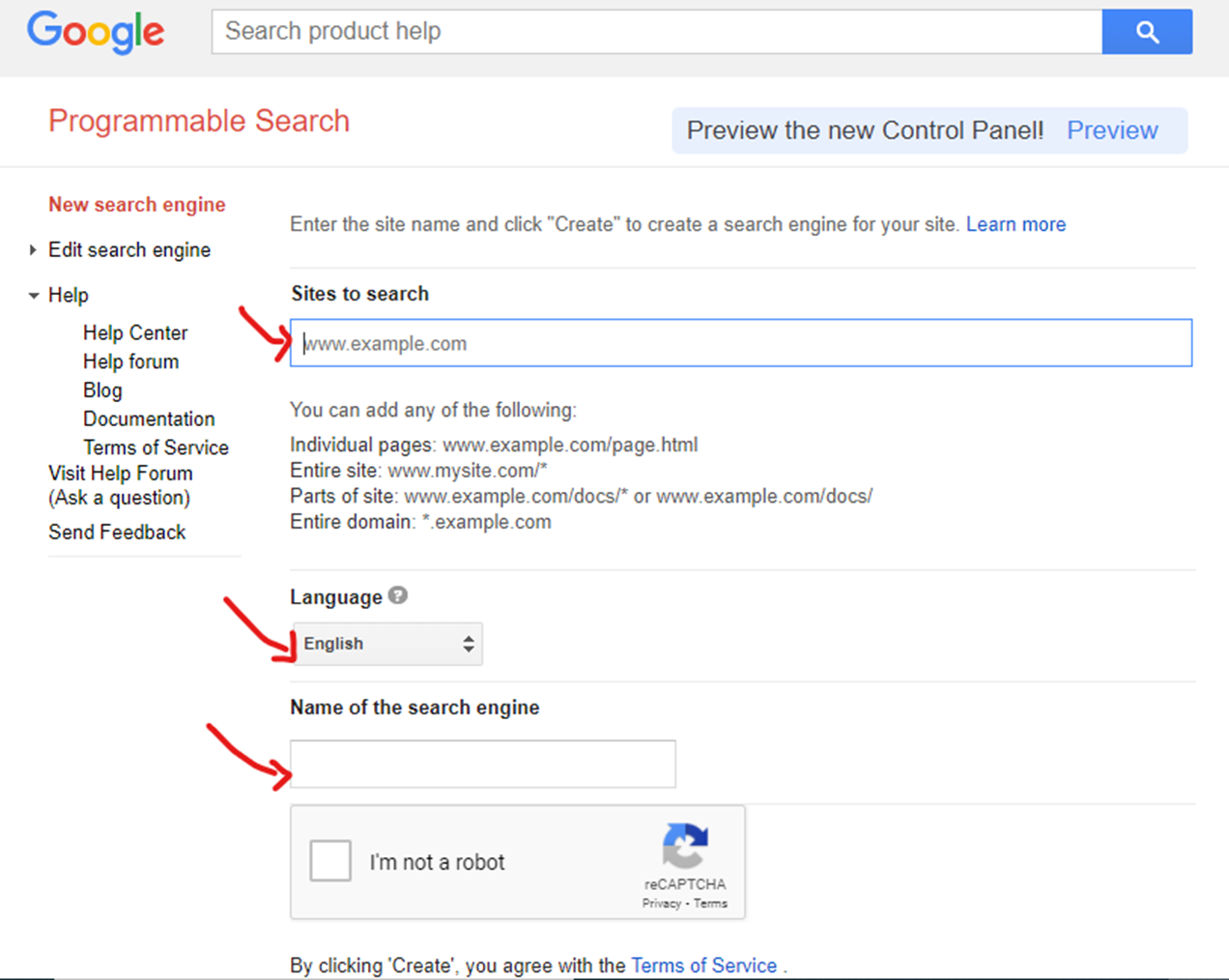
Fill up the website URL required for specialty search and result, language, and search engine name.
Click the Create button.
Examples of website URLs are www.pinterest.com, www.instagram.com
Language — select whichever stuff you’re interested in
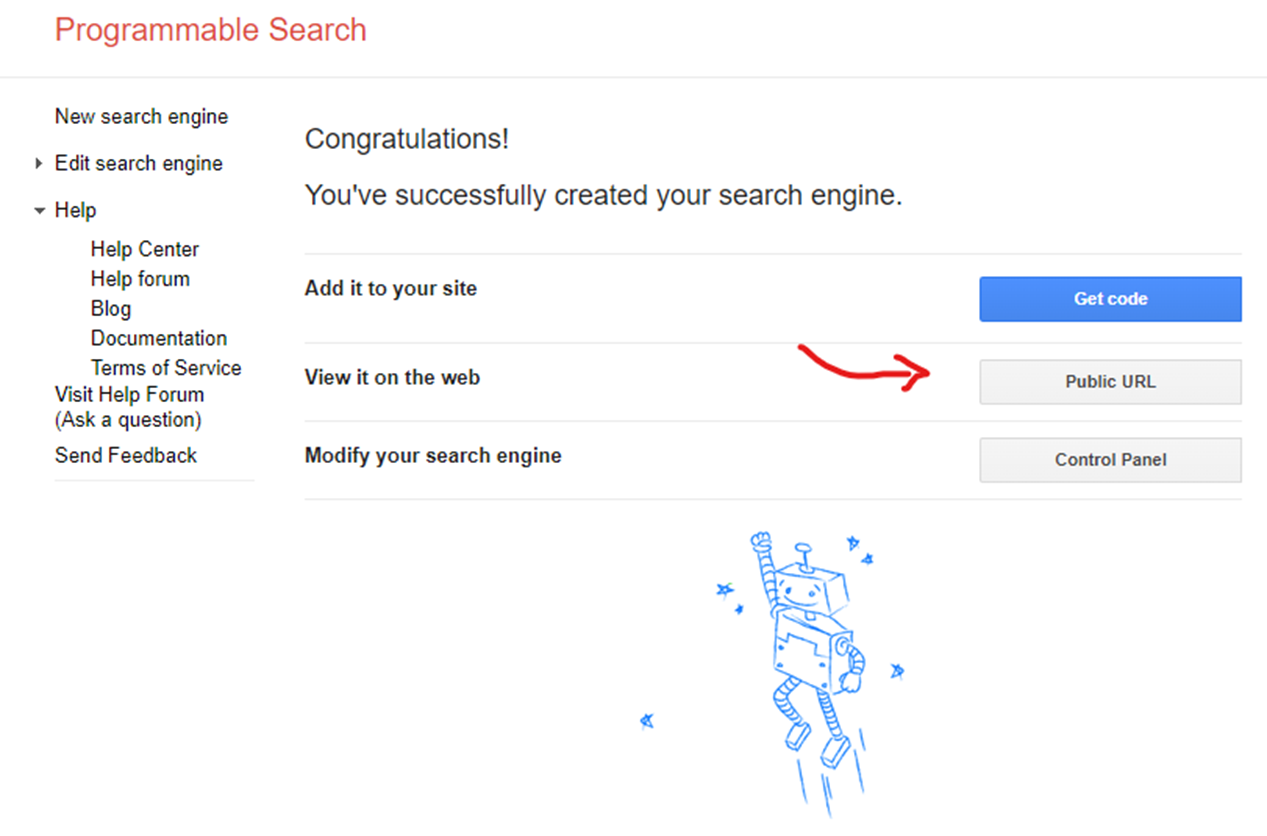
4. Congratulations on the success of your own search engine.
Copy the public URL and paste it into your browser.
Wait….
There is one more procedure that needs to be completed.
5. We need image results.
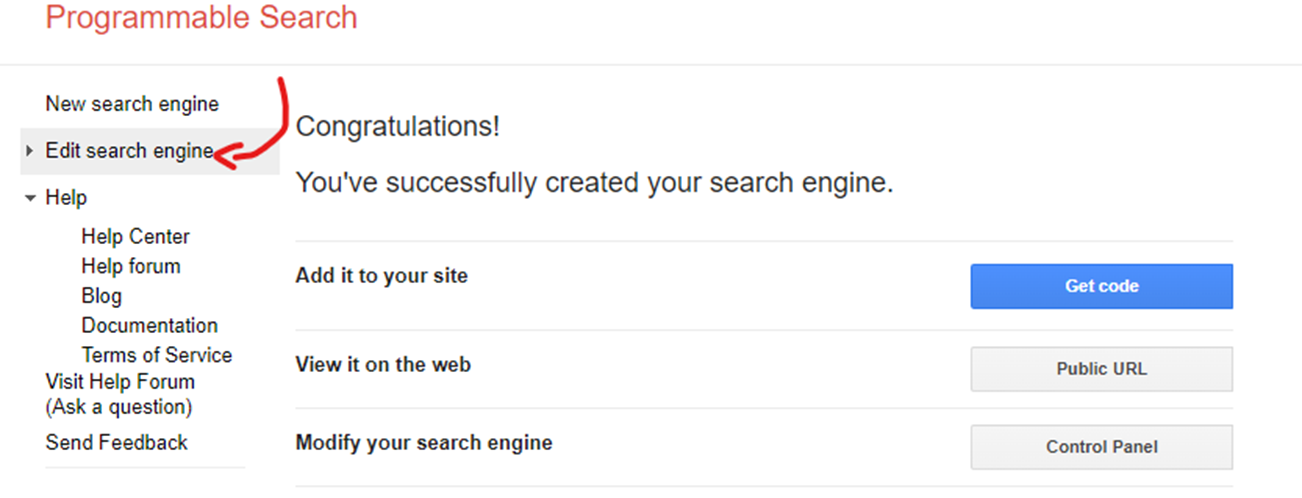
So, on the left side, click the Edit Search Engine button.
6. Click on the image search button
Add-on — You can specify the region for which you require a country result.
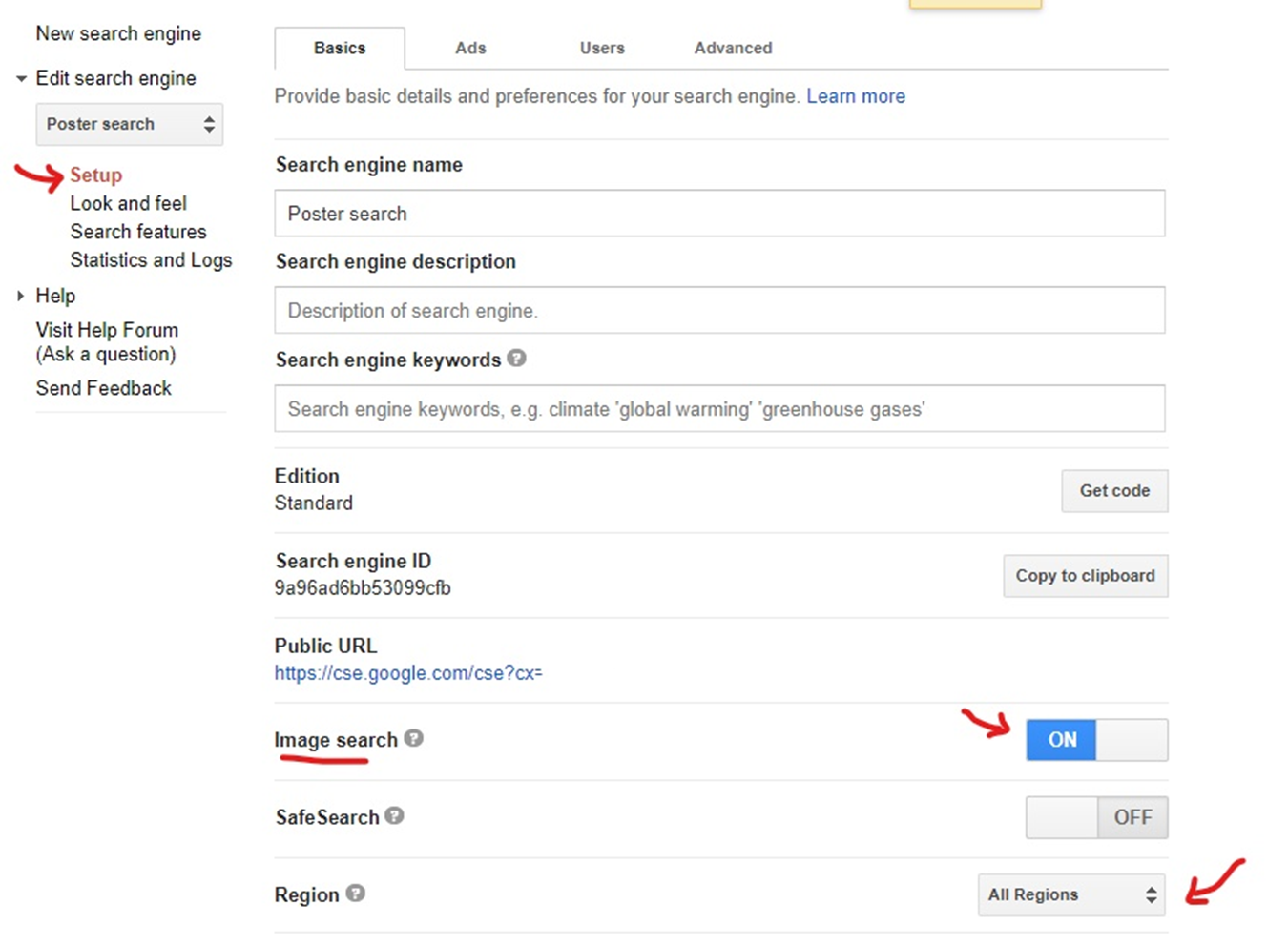
It will automatically save.
Last and final test your search engine..
THANKS FOR READING OUR ARTICLE.